2ndLine - Second Phone Number
- 4.1
- Rating
- 10.00M
- Installs
- Free
- Price

 Analysis by App-foxy
When I tried 2ndLine as a communication app, I understood its appeal quickly: it gives an Android phone a separate number for calls and texts, without asking me to carry another device. That makes it useful for people who want to keep a work, marketplace, volunteer, travel, or personal conversation away from their main number. I also found that its value depends less on flashy extras and more on whether a second number fits the way you already communicate.
Developed by TextNow, Inc., the app is free to install and is aimed at everyone. It sits in the communication category, has passed the ten-million-install mark, and holds an average rating of 4.1 from roughly one hundred thirty-nine thousand ratings. Those figures suggest a well-established service rather than an experiment, although a large user base does not remove the need to check whether its calling experience suits your location, contacts, and accessibility needs.
Using 2ndLine in everyday communication
The first thing I noticed was how practical the separate-number idea can be. I could imagine using it when selling furniture online: instead of publishing my everyday number, I could give interested buyers the 2ndLine number and keep those conversations contained. The same arrangement works for a small side business, a temporary project, or a person who wants a clearer boundary between family calls and work messages.
You May Also Like

 Blood Strike: 2.5 Anniversary
Blood Strike’s Loadouts Turn Every Drop Into a Tactical Gamble
A close look at Blood Strike’s custom loadouts: how fast access to signature weapons reshapes its battle royale rhythm, rewards preparation, and narrows the gap between fights.

 Pandora - Music & Podcasts
Pandora’s Music Is Easy to Start, but Harder to Recover
Pandora’s strength is its low-effort path from a seed to a station. Its weak spot is how much confidence it asks you to place in connection, setup, and quiet recovery.

 8 Ball Pool
 Is Built on Rivalries, Rematches, and Routine
A close look at the rivalries, rematches, shared routines, and unanswered safety questions that turn a quick pool match into a persistent mobile community.

 Samsung Music
’s Quiet Strength Is Playing What You Already Own
Its reach comes less from spectacle than from dependable access to a personal library. That simplicity is both the app’s strongest retention engine and its ceiling.

 AccuWeather: Weather Radar
AccuWeather Review: A Quick, Clear Forecast for Everyday Decisions
For everyday plans, the best forecast is the one you can understand quickly. AccuWeather makes rain timing, radar, and local conditions easy to act on, with a few trade-offs.

 Hill Climb Racing
Why Hill Climb Racing Still Turns Crashes Into One More Run
A tiny car, a bumpy hill and one more upgrade: Hill Climb Racing keeps resurfacing because its simple chaos makes every near-miss feel personal.
More From Our News Desk



It is also a reasonable option for someone who needs a second phone identity but does not want a second physical handset. I would not treat it as a complete replacement for every mobile service, though. A second-number app is most useful when the people contacting me can reach me through the app and when I am comfortable managing another inbox. If I already have two reliable SIMs or a carrier plan with dual-number support, that setup may feel more direct.
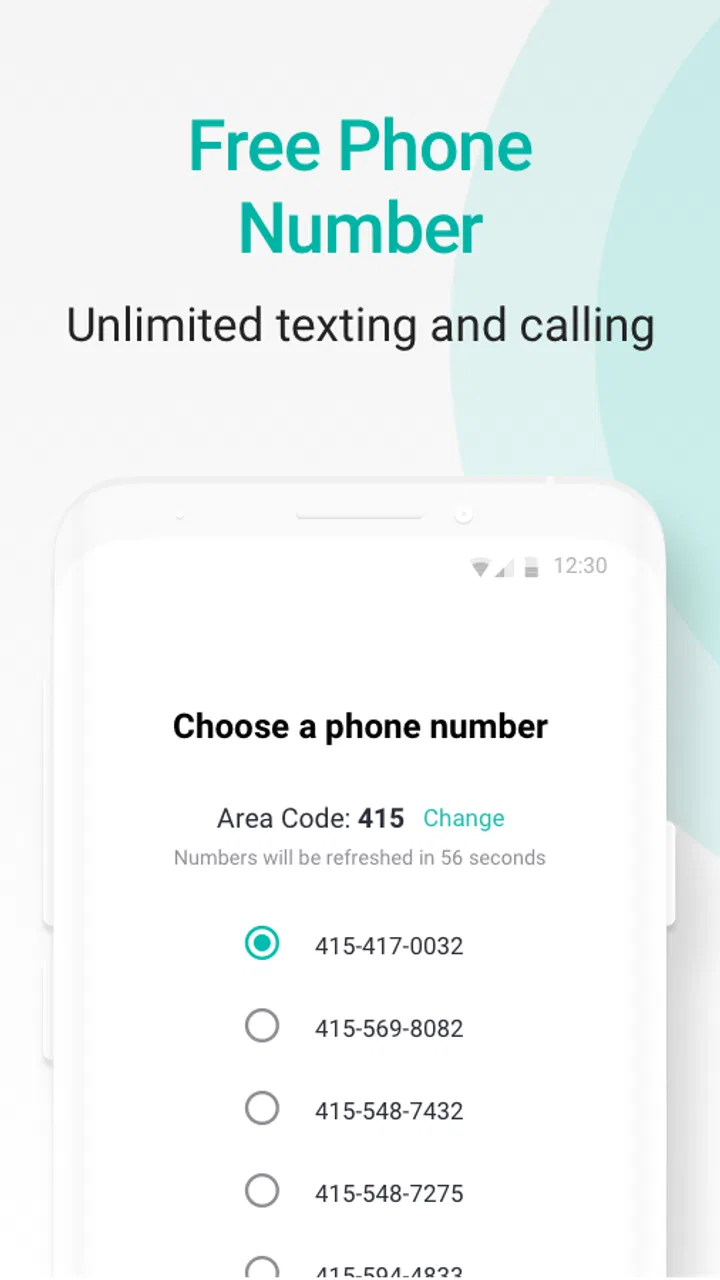
The core promise is straightforward: nationwide unlimited calls and texts, together with a second phone number. In practice, the important question is not simply whether I can start a call. It is whether I will remember which number I am presenting, keep notifications understandable, and respond from the right identity. That small organizational detail matters when personal and professional conversations happen on the same screen.
Readability and navigation in normal use
I found the concept easy to understand because the app has a narrow purpose. I am not sorting through a complicated social network, a large media library, or a crowded productivity suite. The useful mental model is simply “this is my other line.” That clarity helps when I open it to check a message or place a call without wanting to think about account structure first.
For readers who rely on larger text, strong contrast, or a less visually demanding interface, the practical test is how the app behaves alongside the phone’s own display settings. I would increase system text size before deciding whether the layout works for me, then check conversation previews, call controls, and any number-selection screens. A communication app can be functionally simple yet tiring if labels become cramped or important controls are difficult to distinguish.
I also recommend setting up a clear naming habit in the contacts list. I would label people or groups in a way that reminds me whether they belong to my main line or my second line. This is a small workflow improvement, but it reduces the chance of sending a personal message from the wrong number. For users with memory difficulties, attention challenges, or frequent interruptions, that extra cue can be more valuable than another optional feature.
Notifications deserve the same attention. If both the regular phone app and 2ndLine alert me at once, I would adjust notification categories and sounds so I can tell them apart without reading every banner. I would also avoid vague contact names. When a message arrives during a busy moment, a clear sender label and a distinctive alert make the app easier to use than a silent pile of nearly identical notifications.
One limitation is that a second communication space creates another place to monitor. That can improve privacy and organization, but it can also increase cognitive load. Someone who already struggles with multiple inboxes may find that the separate number solves one problem while creating another. I would use it for a defined purpose rather than allowing every kind of conversation to migrate into it.
Motor and sensory considerations
Calling and texting are familiar activities, so 2ndLine can be approachable for people who prefer direct communication over more complex apps. A person with limited dexterity may appreciate being able to keep a second line on the same phone instead of physically swapping SIM cards or carrying an additional handset. However, I would still test the size and spacing of call buttons, the effort needed to select a contact, and how easily I can correct a mistaken tap.
For users with tremors or reduced precision, the safest routine is to pause before placing a call and confirm the selected contact and number. That sounds basic, but a second line makes accidental calls more confusing because the recipient may not recognize the number. I would also use the phone’s built-in accessibility controls where available, such as enlarged display settings or interaction adjustments, and then make a real test call rather than relying on a quick glance at the interface.
People with hearing loss should think about whether voice calls are their main reason for installing the app. Texting may be the more comfortable part of the experience, especially when a conversation does not require immediate spoken replies. If I depended on captions, relay services, hearing devices, or visual call alerts, I would test that complete setup with a trusted contact before using the number for an important appointment or work responsibility.
For users with low vision, the app’s usefulness will depend on how well the phone’s magnification, text, contrast, and screen-reader settings interact with its controls. I would check the entire path: opening a conversation, identifying the sender, composing a message, choosing a recipient, and ending a call. The fact that an app is rated for everyone does not automatically mean every screen will be equally comfortable for every visual need.
People with speech differences may find texting more suitable than voice calls, while users with reading or language difficulties may benefit from preparing common replies in advance. I would keep a few short templates in a notes app or keyboard clipboard, but I would review them before sending because using a second number increases the consequences of choosing the wrong conversation. The best experience here comes from combining the app with the phone’s own accessibility tools and a deliberate routine.
Situational access: where the second line helps
My favorite use case is temporary contact. Suppose I am arranging a pickup from a local listing. I can communicate through the additional number, coordinate a meeting, and avoid exposing the number that friends and family normally use. The benefit is not anonymity in every situation; it is separation. I know which conversations started through that channel, and I can stop using that number for a particular purpose without disrupting my main contacts.
The same separation can help a caregiver or family member who needs a dedicated line for appointments, deliveries, or a shared household task. It may also suit a freelancer who wants clients to reach a work number while keeping evenings quieter. For someone who changes roles often, the ability to maintain a distinct communication route can make boundaries easier to explain.
It can be useful on a phone shared between different routines as well. A student might reserve the second number for a club or short-term project. A traveler could use it for contacts made during a stay, provided the service works as expected in the relevant situation. I would avoid presenting it as a universal emergency solution, because important communication should always rely on a service and device arrangement I have already tested.
There is also a privacy habit I would recommend: decide in advance who receives the second number and why. If I hand it out casually, it quickly becomes another general-purpose number, and the original separation disappears. I would keep the number for a specific circle, use descriptive contact labels, and review old conversations periodically. That workflow is more effective than simply installing the app and hoping the boundary maintains itself.
For people who have difficulty speaking on the phone, texting through a separate number can reduce pressure in situations such as arranging services or asking a business a question. For people who are easily overwhelmed by unexpected calls, I would keep the app’s alerts distinguishable from the main phone and decide which contacts deserve immediate attention. The app can support control over communication, but the user still needs to configure the surrounding phone experience.
How it compares with ordinary alternatives
The usual alternative is a second SIM or an additional carrier line. That route can feel more integrated because calls and texts may appear in the phone’s standard communication tools, and it may be preferable for someone who needs dependable carrier-level behavior across many situations. The trade-off is the cost and complexity of maintaining another line, especially if the goal is only to separate a few conversations.
A messaging service tied to an existing account is another option. Those apps can be convenient when everyone in a group already uses the same platform, but they do not always provide the same straightforward “second phone number” structure. 2ndLine makes more sense when the people I need to contact expect ordinary calls or texts rather than a platform-specific chat.
A work-focused calling service may be better for a team that needs shared administration, formal business tools, or a more structured office workflow. I would choose 2ndLine for an individual or small personal project, not automatically for an organization with several staff members and strict communication requirements. Its strength is personal separation, not replacing a full business phone system.
The free price is a meaningful advantage for trying the basic idea without committing to another carrier plan. At the same time, the app includes in-app purchases ranging from $2.49 to $49.99 per item. I would review those options carefully before paying, especially if I only need a temporary number. A free starting point is useful, but the long-term value depends on which paid extras, if any, match my actual routine.
Remaining barriers and points to test
The largest barrier is not learning the app; it is managing expectations. A second number can look like a complete substitute for a normal mobile line, yet the experience may differ depending on the phone, network conditions, contact habits, and the kind of calls I receive. I would test both incoming and outgoing communication with someone I trust before giving the number to clients, buyers, or institutions.
I would also check whether the people I contact recognize the number and whether they respond to texts in the way I expect. Some contacts ignore unfamiliar numbers, while others may call my main line after seeing it elsewhere. The app cannot solve that social confusion by itself. A short message explaining which number to use can prevent repeated misunderstandings.
Users who depend on one number for identity verification, account recovery, or highly sensitive services should be cautious. I would not assume that every service treats an app-based number exactly like a carrier number. Before relying on it for an account that would be difficult to recover, I would check that service’s own requirements and keep another recovery method available.
There is also a practical accessibility barrier when a person needs a very predictable call flow. Switching between the regular phone app and 2ndLine may be manageable for some users but frustrating for others, particularly during stress or when assistance is needed quickly. If a user has a trusted helper, I would establish a simple rule such as “blue contact labels are for the second line” or keep the number limited to a clearly defined purpose.
The current version is 26.8.6.0, and the app requires Android 9 or later. That makes device compatibility an important first check for anyone using an older phone. I would update the app and operating system where possible, then test notifications, text entry, and call handling after installation. A feature that works well on one phone may feel less comfortable on another because of screen size, system settings, or assistive technology.
I also would not confuse the Everyone content rating with a promise of universal ease of use. It describes the intended age suitability, not how well every control works for every ability. My own recommendation is to spend a few minutes customizing text size, sound, vibration, notification behavior, and contact labels before judging the app. That preparation can make the difference between a calm second line and an extra source of confusion.
My inclusive verdict
I see 2ndLine as a focused solution for people who want another communication identity on an Android phone. It is especially appealing for temporary contact, side work, online selling, household coordination, and anyone who wants to protect the number used by close friends and family. The free entry point makes experimentation easy, while the separate line can reduce the need to carry another device.
I would recommend it to a friend who understands the difference between a second app-based number and a full carrier line. I would suggest setting up separate notifications, using clear contact labels, testing accessibility settings, and confirming important calls before depending on it. Those steps address the real friction: not the basic idea, but the possibility of missed alerts, mistaken identities, or unsuitable call expectations.
I would steer someone toward a second SIM, a carrier dual-number plan, or a dedicated business service when reliability, formal administration, or deep integration with the phone matters more than convenience. I would also hesitate to recommend it as the only route for urgent communication or for users who find multiple inboxes overwhelming.
Overall, my experience is positive because the app solves a specific problem without forcing me to buy another handset. Its accessibility story is practical rather than comprehensive: the simple purpose, texting option, and single-device setup can help in many contexts, but the final experience depends heavily on phone settings, personal ability, and communication habits. If I treated the extra number as a carefully managed tool instead of an automatic replacement for my main line, 2ndLine became a useful and flexible part of everyday communication.
For an app in this category, a 4.1 average from about one hundred thirty-nine thousand ratings and more than ten million installs gives me confidence that many people find the concept worthwhile. I would still make the decision based on my own use case, especially if I need assistive features, dependable access in demanding situations, or a number accepted by a particular service. For the right person, the best feature is the boundary it creates between different parts of life.
FAQs for 2ndLine - Second Phone Number
01What is 2ndLine and how does it work?
2ndLine is an app that provides a second phone number for your mobile device, allowing you to make and receive calls, send texts, and manage voicemail. It’s particularly useful for separating work and personal communications without needing another phone. The app operates over Wi-Fi or your existing mobile data plan.
02Is the 2ndLine app free to use?
2ndLine offers a free version with basic functionalities. However, for advanced features such as ad removal, international calling, and premium support, a subscription fee is required. It’s advisable to review the pricing details within the app to understand what features the free version includes versus the paid options.
03How secure is communication through 2ndLine?
2ndLine employs standard encryption protocols to protect your calls and messages. While the app provides a level of security typical for communication apps, users should still be cautious about sharing sensitive information. Regular updates from the developers also help maintain security standards.
04Can I use 2ndLine on multiple devices?
2ndLine primarily functions on a single device, as it’s tied to your mobile number and data plan. However, you can use the same account credentials on another device if needed. Keep in mind that simultaneous usage on multiple devices might not be supported and could cause sync issues.
05What are the main benefits of using 2ndLine?
2ndLine is ideal for those needing a separate line for business or travel without owning another phone. It offers flexibility, ease of use, and a variety of features such as call forwarding, customizable voicemail, and texting capabilities. The app’s ability to operate over Wi-Fi also makes it cost-effective for international communication.
Pros
- Easy setup and user-friendly interface.
- Affordable plans for international calls.
- Customizable voicemail options.
- Supports MMS for multimedia messages.
- No additional device needed for second line.
Cons
- Ads can be intrusive in free version.
- Some features require premium subscription.
- Occasional call quality issues reported.
- Limited customer support response time.
- App may not work in all countries.

2ndLine - Second Phone Number
Gallery